Schematics & Boardview Together
Circuit diagrams, boardview files, bitmaps and PCB layouts for the same device, so you can trace a signal and find the part on the real board.
W2R Schematics gives mobile and laptop repair technicians the schematics, boardview files and PCB layouts they need to diagnose faults at component level. One subscription covers phones, tablets, laptops and desktop motherboards from 20 phone brands plus Apple, ASUS, Acer, Dell, HP and Lenovo, opened in our own desktop app.
W2R Schematics is a Windows desktop app that gives mobile, laptop and desktop repair technicians schematic diagrams, boardview files, bitmaps and hardware solutions for board-level repair. It is made in India and used worldwide.
Facts last verified: October 2026
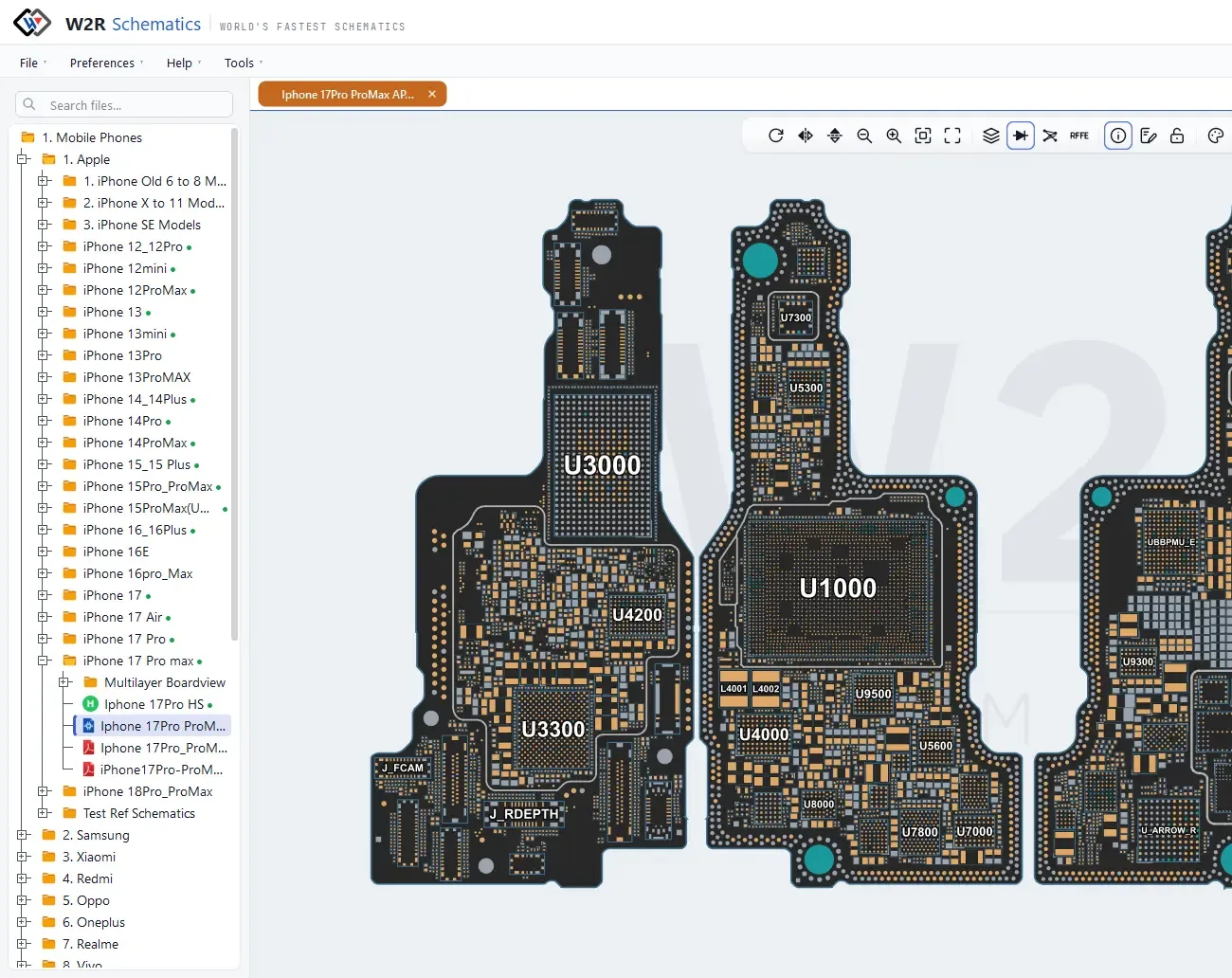
Find the fault in the schematic, find the part on the board, and follow the fix.
Circuit diagrams, boardview files, bitmaps and PCB layouts for the same device, so you can trace a signal and find the part on the real board.
iPhone and Android — Samsung, Xiaomi, OPPO, Vivo and more — plus laptops and desktops, with new models and hardware solutions added daily.
A 7-day free trial, 1 to 3-year plans, a reseller network across multiple countries and direct WhatsApp support when you need help.
Three linked viewers and a device database, covered in full in the User Guide.
Opens the circuit diagram for a device, with a search panel that lists every hit and jumps straight to it.
Shows the physical board layout so you can see exactly where a part sits on the real PCB. Right-click to Find Net or Find Component.
Double-click a net in the schematic and the linked board highlights every pad on it. It works the other way round too.
Annotated repair guides — jumper routes, replacement parts and reball diagrams — drawn as layers over the board.
Look up a device by brand, model or chipset, with CPU, storage and parts finders.
New models and hardware solutions are added on an ongoing basis. Missing a model? You can request it.
Last verified October 2026. The version updates itself with every new release.
W2R Schematics is for technicians who repair existing boards at component level: phone repair shops and laptop and desktop motherboard repairers.
The schematic shows how a circuit is connected, the boardview shows where each part sits on the real board, and the hardware solution shows the fix.
The only official installer is on our official download page. Copies offered as a “free download” on other sites are not from W2R.
Message the W2R team on WhatsApp for help choosing a plan, finding a model or getting set up.