Google Pixel 6 Multilayer Boardview – Complete PCB Layer Diagram for Motherboard Repair
Google Pixel 6 multilayer boardview now available for technicians. Access detailed PCB layers, motherboard layout, and component tracing for advanced Pixel 6 hardware repair.
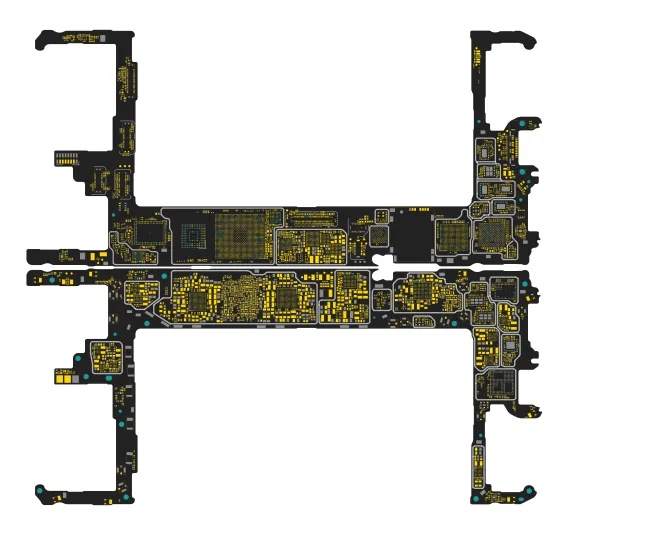
Google Pixel 6 Multilayer Boardview Added – Advanced PCB Repair Resource
The Google Pixel 6 Multilayer Boardview is now available for mobile repair technicians and electronics engineers. This update provides detailed access to the Pixel 6 motherboard layers, PCB layout, and component placement, allowing technicians to analyze the board structure more efficiently.
With multilayer boardview support, technicians can inspect internal PCB layers and trace signals across the motherboard, making complex diagnostics much easier.
What is Google Pixel 6 Multilayer Boardview?
A multilayer boardview is a specialized repair file that shows the internal layers of a smartphone PCB. Modern smartphones like the Pixel 6 use multi-layer motherboard designs, where signal lines and power rails run between different PCB layers.
The Pixel 6 multilayer boardview helps technicians:
Trace signal paths across PCB layers
Identify hidden internal connections
Locate components and test points
Diagnose complex motherboard faults
Perform advanced PCB-level repairs
This is extremely useful for technicians working on high-end smartphone motherboard diagnostics.
Benefits of Pixel 6 Multilayer PCB View
Using a multilayer boardview, technicians gain deeper insight into the motherboard structure.
Key advantages include:
View multiple PCB layers of the motherboard
Trace internal signal routing
Faster short circuit detection
Accurate IC and component identification
Advanced board-level troubleshooting
For professional repair labs, multilayer boardviews are essential for high-level hardware diagnostics.
Google Pixel 6 Motherboard Repair Support
The Google Pixel 6 motherboard uses a complex architecture built around the Google Tensor chipset and high-density multilayer PCB design.
Using the multilayer boardview, technicians can troubleshoot:
No power issues
Short circuits on motherboard
Charging failures
Display or touch problems
Signal and connectivity faults
Internal PCB trace damage
This significantly improves repair accuracy for Google Pixel motherboard repairs.
Advanced PCB Diagnostics for Pixel Devices
Professional repair technicians working with Google Pixel smartphones can now perform deeper diagnostics using the Pixel 6 multilayer boardview.
This tool allows:
Cross-layer signal tracing
Component identification
IC pin tracing
Internal PCB fault detection
Such features are especially useful when dealing with high-density BGA chipsets and multilayer smartphone motherboards.
Google Pixel 6 Boardview
Pixel 6 Multilayer Boardview
Google Pixel 6 PCB Layout
Pixel 6 Motherboard Diagram
Pixel 6 Repair Schematics
Google Pixel PCB Repair
Smartphone Multilayer PCB
Mobile Motherboard Repair
Pixel 6 Hardware Repair
Advanced PCB Troubleshooting
Mobile Repair Tools
Google Pixel 6 Multilayer FAQ
Does W2R Schematics have the Google Pixel 6 Multilayer schematic diagram?
Yes. W2R Schematics has the Google Pixel 6 Multilayer schematic diagram, boardview and PCB layout. The files open in the W2R Schematics desktop app for Windows 10 and 11.
Can I find a component on the Google Pixel 6 Multilayer boardview?
Yes. In the W2R board viewer, right-click and choose Find Component or Find Net to highlight a part or signal on the Google Pixel 6 Multilayer board. When the schematic is linked to the board, double-clicking a net in the schematic highlights every pad on that net. Using the schematic and board together
Is the Google Pixel 6 Multilayer schematic free?
This page is free to read. The Google Pixel 6 Multilayer files open in the W2R Schematics app with a subscription, and new accounts get a 7-day free trial. See plans and pricing
Also read: Google pixel 7 Schematics & Boardview
For similar diagnostics, refer to Google Pixel 7 Pro Schematics & Boardview.